Upload Bio
Instructions for sending meeting slides to Communications
Member Feature Presentations ~ Education Moments ~ Committee Updates (closed portion)
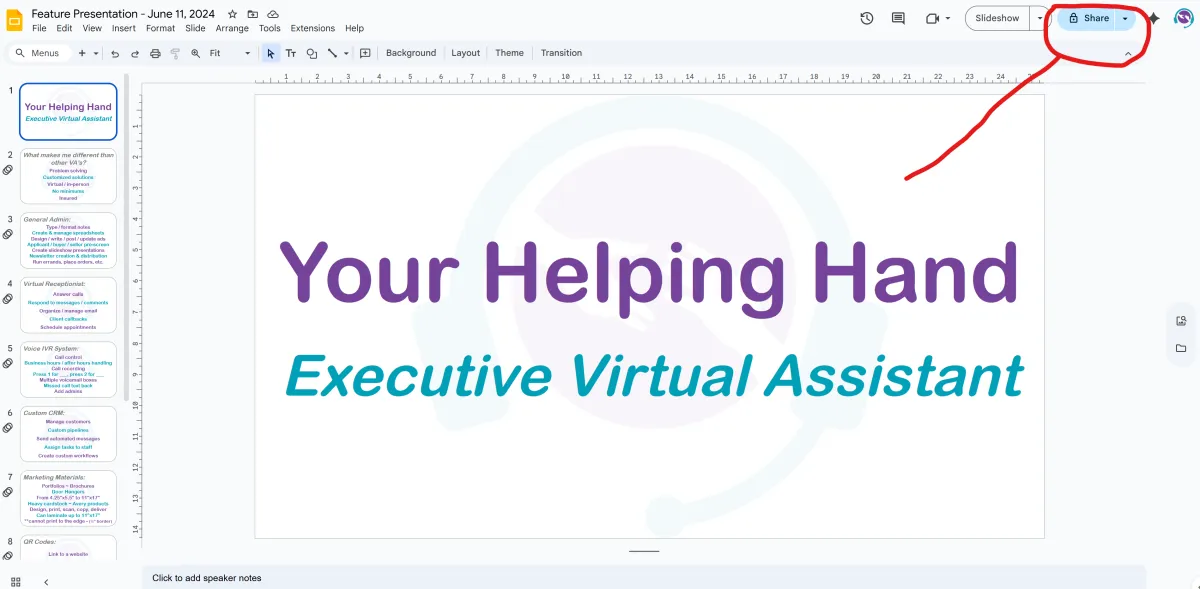
In Google slides, click Share in the top right corner.
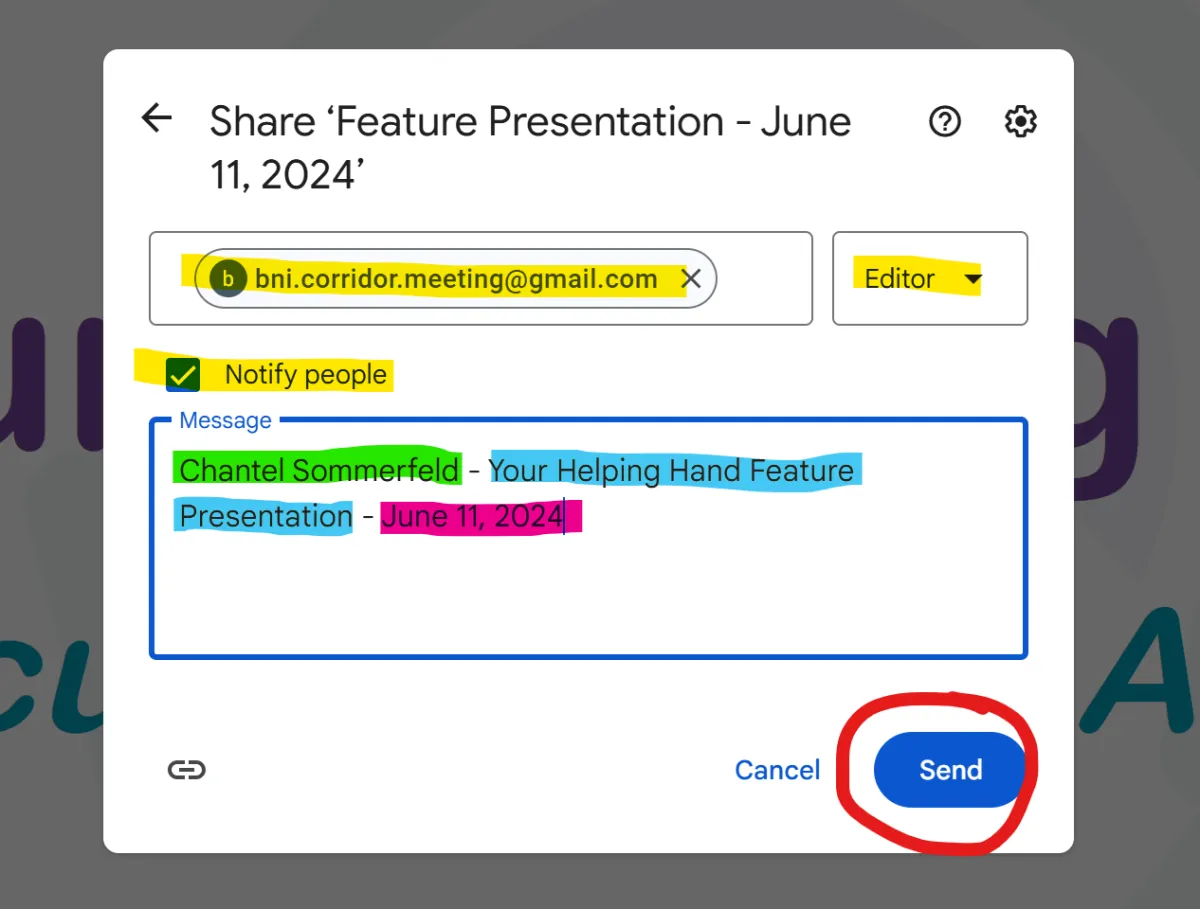
Where it says "Add people, groups and calendar events", type [email protected]
Ensure the permission level is set to Editor
Check the box to "Notify People"
In the Message box include:
a. Your Name
b. What the slides are for
c. The date of the meeting they are to be used for
Click Send
Message Mitch or Chantel letting them know you have sent slides. This is necessary in case there are issues with email. A message will let us know to go looking for it if we didn't receive it!